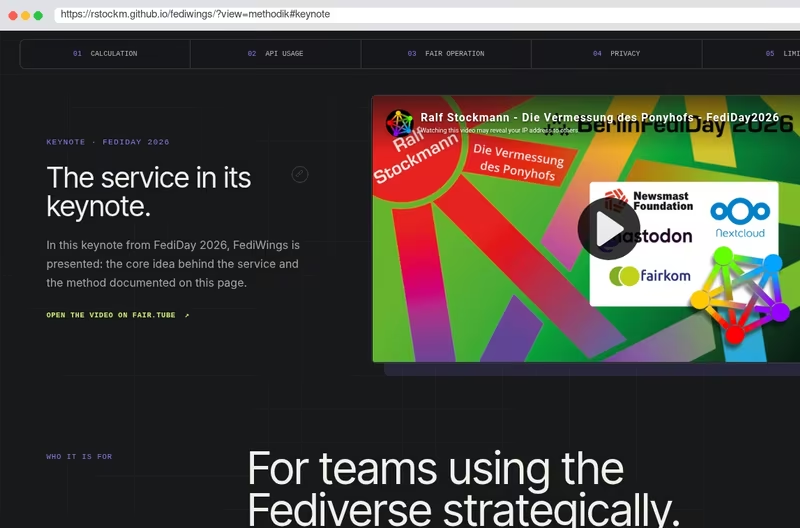
“ #Boosts sind das Magische Schwert “
@rstockm@chaos.social auf dem #FediDay2026 zum Thema #Reichweite im #Fediverse
MUSS man gesehen und gehört haben!
Follow #statistics from Mastodon or any other Fediverse app and its public posts arrive in your timeline. No vutuv account needed.
@statistics@tags.vutuv.de
Detlef Steuer Administrator Statistics Lab
Christian Weilbach Backend developer @ LivelyCode UG
Julian Ahlborn research associate
Andreas Skyman Ph.d., M.Sc. Full-stack system developer and Scientific...
Karsten Weinert Senior Expert @ Prognos AG
9 posts
“ #Boosts sind das Magische Schwert “
@rstockm@chaos.social auf dem #FediDay2026 zum Thema #Reichweite im #Fediverse
MUSS man gesehen und gehört haben!

FediSuite 2.0 steht in den Startlöchern
Wie versprochen dann mit einem echten Planungs-Kalender, Kampagnen, Labels und Community Intelligence (neue/wiederkehrende Interaktionen).
Stay tuned. Es ist fast fertig. :-)

FediSuite 1.7.2 released!
komplette Worker Logiken umgebaut und sehr viel Refactoring
Dieses ist ein sehr wichtiges Release. Die Logik mit der die FediSuite Worker die Beiträge der verbundenen Fediverse Accounts abarbeiten und dann wieder in die Queue packen für erneute Berechnungen, etc. wurde sehr stark umgebaut und extrem verbessert. Sie sind deutlich performanter als vorher. Sie müssen nur noch ungefähr 15% der Arbeit tun, die sie vorher leisten mussten, einfach weil es bei der vorherigen Logik einige Probleme gab, die jetzt beseitigt sind.
In der Übersicht gibt es jetzt neu den Tab für “Interaktionen”.
Und grundsätzlich beziehen sich Top-Listen von Beiträgen jetzt viel mehr auf die berechnete (Netto-)Reichweite, als auf Likes oder Bosts.
Mehr Infos zu FediSuite, findest du hier:
fedisuite.com
Dieses ist ein sehr wichtiges Release. Die Logik mit der die FediSuite Worker die Beiträge der verbundenen Fediverse Accounts abarbeiten und dann wieder in die Queue packen für erneute Berechnungen, etc. wurde sehr stark umgebaut und extrem verbessert. Sie sind deutlich performanter als vorher. Sie müssen nur noch ungefähr 15% der Arbeit tun, die sie vorher leisten mussten, einfach weil es bei der vorherigen Logik einige Probleme gab, die jetzt beseitigt sind.
Ganz neu:
Mehr Infos zu FediSuite, was sie ist, was sie macht und wie sie dir hilft, im Fediverse zu wachsen und die richtigen Menschen zu erreichen, findest du hier: f
#fedisuite #fediverse #update #upgrade #refactoring #forgejo #analytics #statistics #fedilytics
FediSuite 1.6.3Your Fediverse Management PlatformFediSuite 1.6.3 is out. At its center is reach for public Fediverse posts. Likes, boosts, and replies show reactions, but not how many accounts likely saw a post. That’s why FediSuite now calculates an estimated gross and net reach based on the FediWings model.
Gross reach counts possible visibility through the author and boosters. Net reach subtracts out double counting. If the same account boosts several parts of a thread, it doesn’t get counted multiple times in the total. FediSuite treats threads as one connected post instead of artificially inflating each segment. These are the details that turn a nice-looking number into a useful one.
The calculation runs in the background for new and already imported posts. Older posts get their turn too, gradually. In the overview, the dashboard, and the top posts list, you can sort by net or gross reach. A badge links directly to the methodology page. It explains how the formula works, what it’s based on, and where its limits are. Reach is an estimate, not an oracle. That’s exactly why the explanation belongs right next to the number, not in some blog post nobody finds.
It’s worth reconnecting your own Fediverse accounts in FediSuite, so that every post actually gets imported at full length. Then it takes a bit of patience: gross and net reach are only calculated after the historical import finishes, and then in small intervals. It can take an hour or two before all the reach numbers are available.
Along the way, 1.6.3 cleans up quite a bit: the time axes on the growth charts finally stick to the selected period, import progress shows its actual phase, and post rows can now be expanded. When fetching reach data, FediSuite now caps concurrent requests per instance at six. A full queue now drains much faster, without flooding small remote instances with requests.
There were also, of course, plenty of smaller changes and fixes under the hood:
Proper UI scaling from 720p to 4K.Historical data import now shows a coloured progress bar.There’s a new “Credits” page, linked in the footer.There’s a new “Methodology” page, linked as a badge on every reach calculation.Follower charts fixed.And much more
FediSuite 1.6.3Deine Fediverse Management PlattformFediSuite 1.6.3 ist veröffentlicht. Im Mittelpunkt steht Reichweite für öffentliche Fediverse-Beiträge. Likes, Boosts und Antworten zeigen Reaktionen, aber nicht, wie viele Accounts einen Beitrag vermutlich gesehen haben. Deshalb berechnet FediSuite jetzt eine geschätzte Brutto- und Nettoreichweite nach dem FediWings-Modell.
Die Bruttoreichweite zählt mögliche Sichtkontakte über Autorin und Boosterinnen. Die Nettoreichweite rechnet Doppelzählungen heraus. Boostet derselbe Account mehrere Teile eines Threads, landet er nicht mehrfach in der Gesamtsumme. Threads behandelt FediSuite als zusammenhängende Veröffentlichung, statt jeden Abschnitt künstlich aufzublähen. Das sind die Details, die aus einer hübschen Zahl eine brauchbare machen.
Die Berechnung läuft für neue und bereits importierte Beiträge im Hintergrund. Auch alte Posts kommen nach und nach dran. In der Übersicht, im Dashboard und bei den Top-Beiträgen lässt sich nach Netto- oder Bruttoreichweite sortieren. Ein Badge führt direkt zur Methodik-Seite. Dort steht, wie die Formel funktioniert, worauf sie beruht und wo ihre Grenzen liegen. Reichweite ist eine Schätzung, keine Orakelzahl. Gerade deshalb gehört die Erklärung neben die Zahl, nicht in irgendeinen Blogpost, den niemand findet.
Sinnvoll ist es, die eigenen Fediverse-Accounts in FediSuite neu zu verbinden, damit alle Beiträge wirklich in voller Länge importiert werden. Dann heißt es etwas Geduld haben: Die Berechnung von Brutto- und Nettoreichweite läuft erst nach dem Import der historischen Daten und dann in kleinen Intervallen. Bis alle Werte zur Verfügung stehen, können ein bis zwei Stunden vergehen.
Nebenbei räumt 1.6.3 einiges auf: Die Zeitachsen der Wachstums-Charts halten sich endlich an den gewählten Zeitraum, der Importfortschritt zeigt seine tatsächliche Phase und Beitragszeilen lassen sich aufklappen. Beim Nachladen der Reichweite begrenzt FediSuite parallele Anfragen pro Instanz auf sechs. Eine volle Warteschlange verschwindet jetzt viel schneller, ohne kleine fremde Instanzen mit Requests zuzukleistern.
Außerdem gab es natürlich viele, viele kleinere Änderungen und Fixes unter der Haube:
Ordentliche GUI Skalierung von 720p bis 4K.Import der Historischen Daten zeigt nun einen farbigen FortschrittsbalkenEs gibt eine neue Seite “Credits”, verlinkt im Footer.Es gibt eine neue Seite “Methodik”, verlinkt als Badge in allen Reichweitenberechnungen.Follower Charts gefixtUnd Vieles mehr

Hello,
I’m Tarvo, a geneticist by training who somehow ended up spending most of his working life at the intersection of medicine, data, hospital IT and digitalisation.
These days, my scientific work often means helping clinicians make sense of their data, while my day job is increasingly about preparing a hospital for a future in which AI will simply be part of medicine — whether institutions are ready for it or not.
I joined FediScience because I miss thoughtful scientific conversation. I’m particularly interested in AI, medicine, genetics, statistics, mathematics, open science and the wonderfully messy question of how we actually integrate new technology into real-world healthcare.
I’m here to learn, exchange ideas, occasionally ask stupid questions, and hopefully contribute something useful in return. Say hello — recommendations for interesting people to follow are very welcome.

@droidify@mastodon.social And don’t forget Droid-ify is also available at @IzzyOnDroidOrg@floss.social – after having passed our additional scans. Our monthly report for August just confirmed: People using Droid-ify, love to install Droid-ify from IzzyOnDroid 😂


I implore my fellow scientists to stop using the term “AI” to describe every machine learning model and linear regression they come across. Using “AI” to describe LLMs has already made it a completely meaningless term. All that using the term accomplishes is to help the broligarchs in Silicon Valley to sell their snake oil.
PLEASE, JUST SPECIFY WHAT KIND OF MODEL YOU’RE ACTUALLY TALKING ABOUT!!!